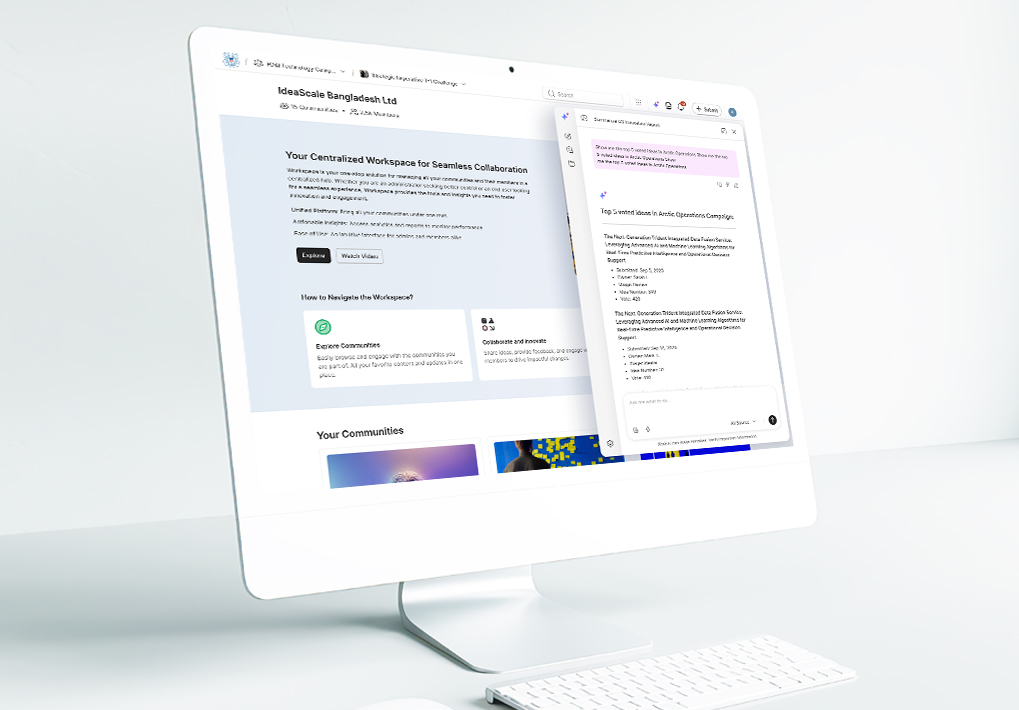
Innovation programs don’t stall because the ideas dry up. They stall because a program manager builds a dashboard that proves their hypothesis and has no way to get it in front of the people who can act on it. Or because the workspace admin who needs to toggle one email setting has to click through four nested menus to find it. Our product updates to the IdeaScale innovation management platform address both problems — and add a third capability we’ve been hearing requests for. This release brings a complete overhaul of report and dashboard sharing, a redesigned administrative experience with instant settings search, and a new custom page builder that lets community admins publish content directly inside the platform.
Share Reports and Dashboards With the Right People
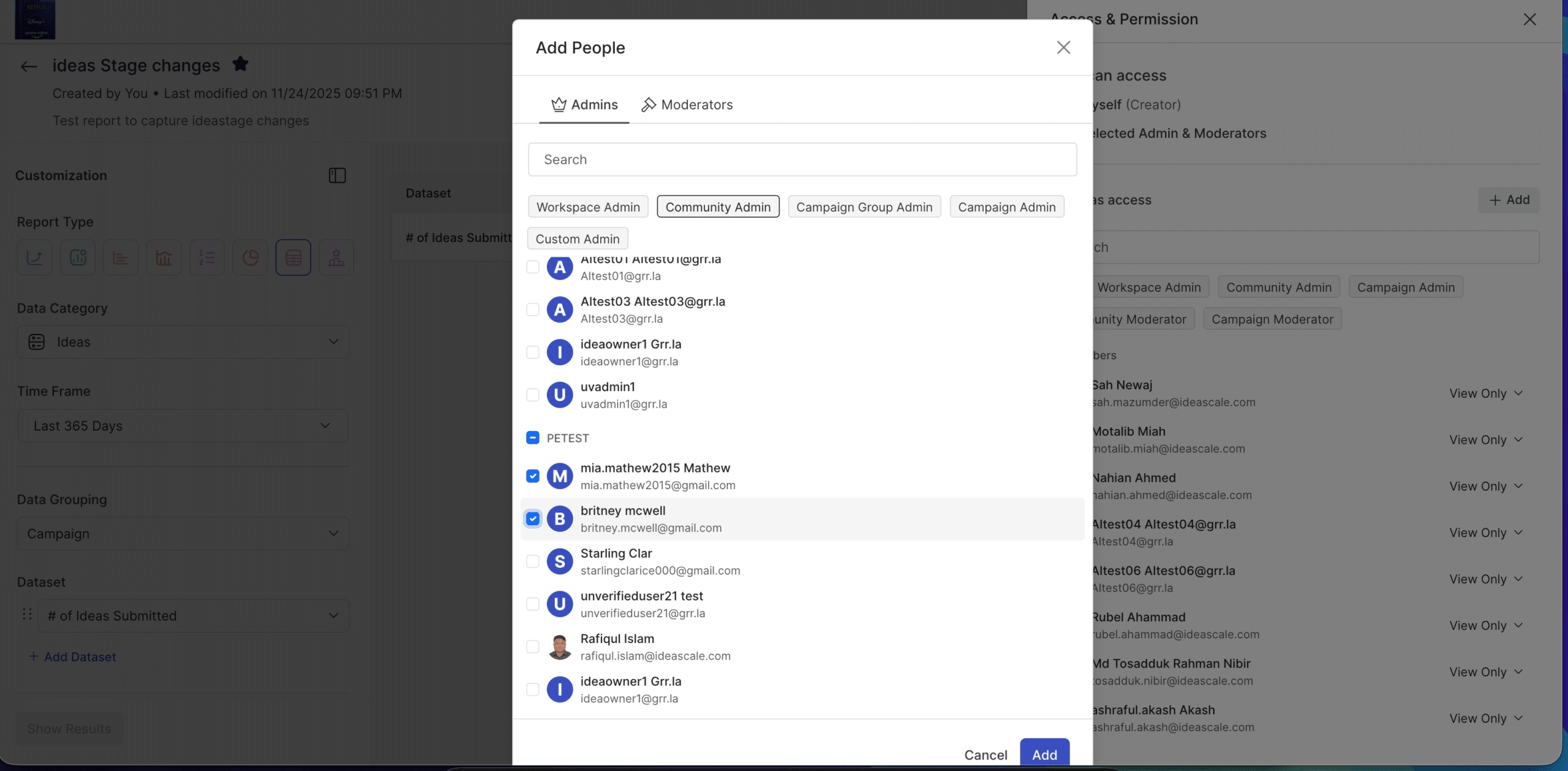
Until now, sharing analytical insights in IdeaScale meant working around limitations. You could build a powerful dashboard, but getting it into the hands of the right stakeholders required workarounds. That changes with this release. IdeaScale now supports granular sharing and permissions for both reports and dashboards. Administrators and report owners can add specific people to a report or dashboard with defined permission levels, controlling who can view and reshare. Filter permissions are handled intelligently too: when a shared report includes filters that reference data the recipient doesn’t have access to, the system resolves the conflict rather than breaking the view.
Finding the right report is easier now as well. New “My,” “Shared,” and “Favorites” tabs on the reports and dashboards pages let users quickly navigate between their own work, what colleagues have shared with them, and reports they’ve bookmarked for quick access. Favorites can be sorted by preference, and custom field filters are now accessible directly from the reporting interface.
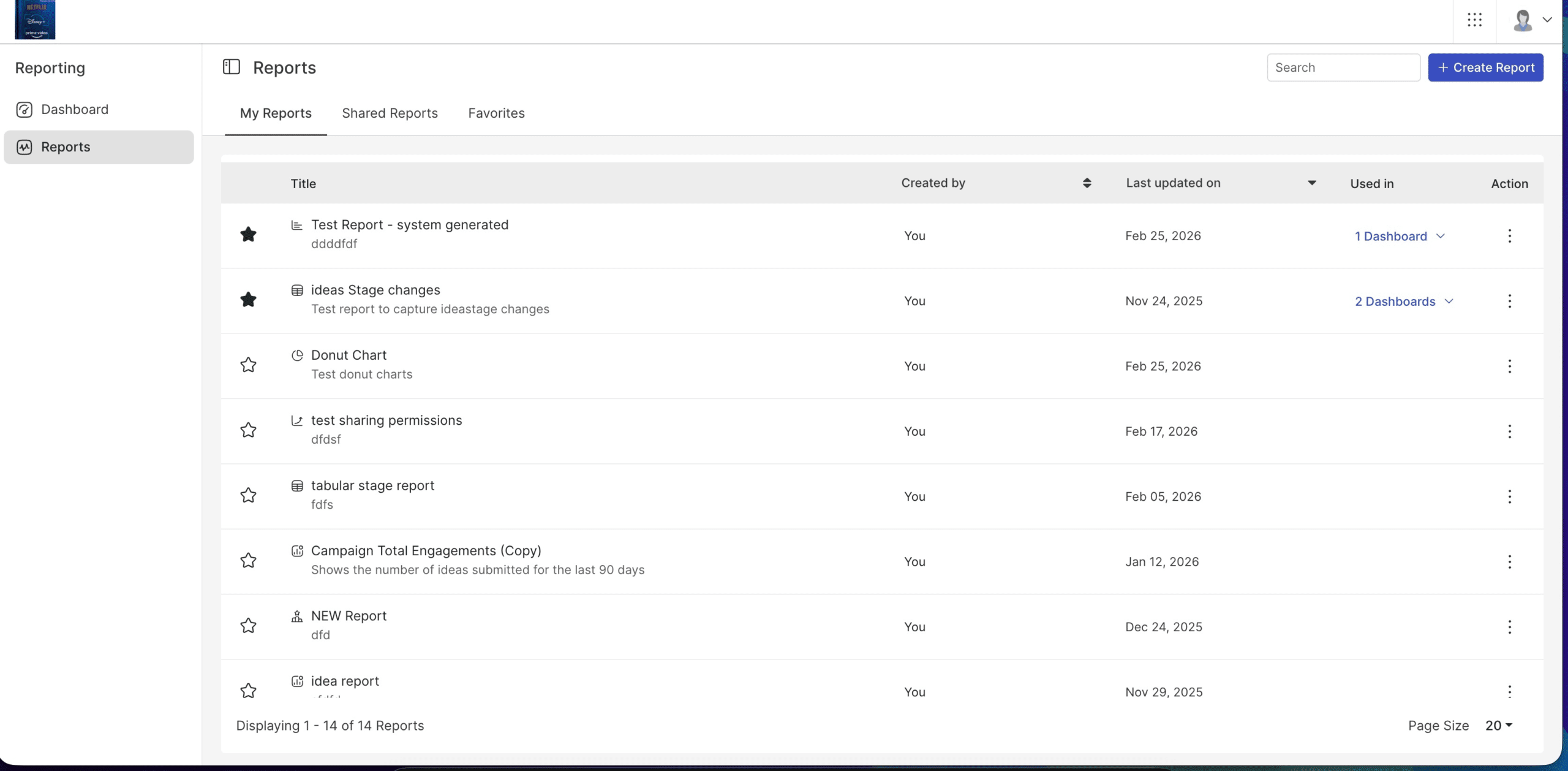
Ideally shows reports in each state so the reader can see the navigation improvement. The net effect: insights stop dying in one person’s browser tab. When a report can move from the analyst who built it to the sponsor who can fund it — with the right permissions, the right filters, and no IT ticket in between — Innovation programs actually produce decisions, not just data.
A Redesigned Admin Experience
The IdeaScale admin panel has been completely rebuilt. This isn’t a cosmetic refresh. It’s a ground-up redesign of workspace settings, email configuration, and access permissions that’s been in development for months and shipped in its entirety this February.
General email settings, workspace information, and access permissions all have new interfaces that are faster to configure and harder to misconfigure. Alerts and notifications have been condensed into a cleaner, less cluttered view. And a new settings search lets administrators find what they need instantly, instead of clicking through nested menus to locate a single toggle. It sounds small, but for workspace admins managing complex deployments with dozens of configuration options, it changes the daily experience.
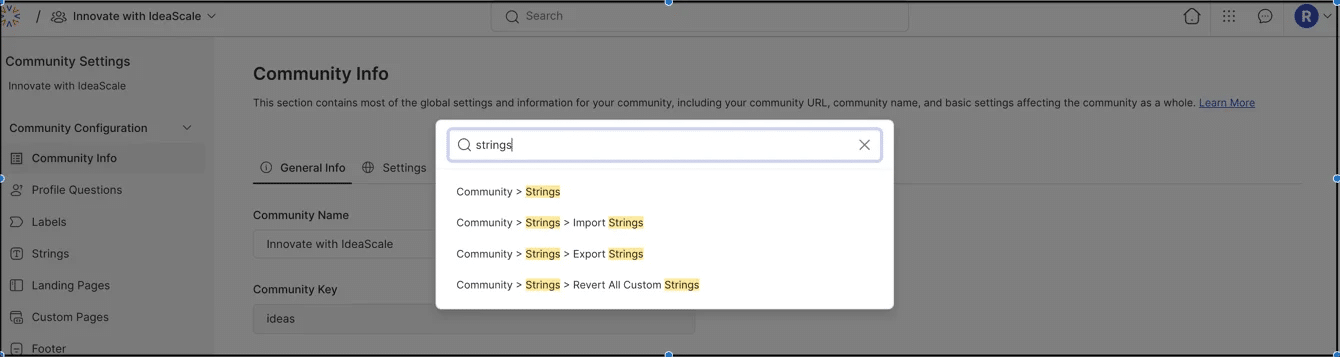
Worth emphasizing: this is a self-service story. A federal agency adding its third community or an enterprise onboarding a new division shouldn’t need a support ticket to configure email settings. The rebuilt admin panel means they don’t have to.
Custom Pages: Build What Your Community Needs
Community administrators can now create custom pages directly within IdeaScale using a built-in page builder. The builder follows the same patterns as the existing landing page editor, so there’s no new interface to learn. Pages support multiple languages, friendly URLs, and can be surfaced in the Explore dropdown for easy discovery.
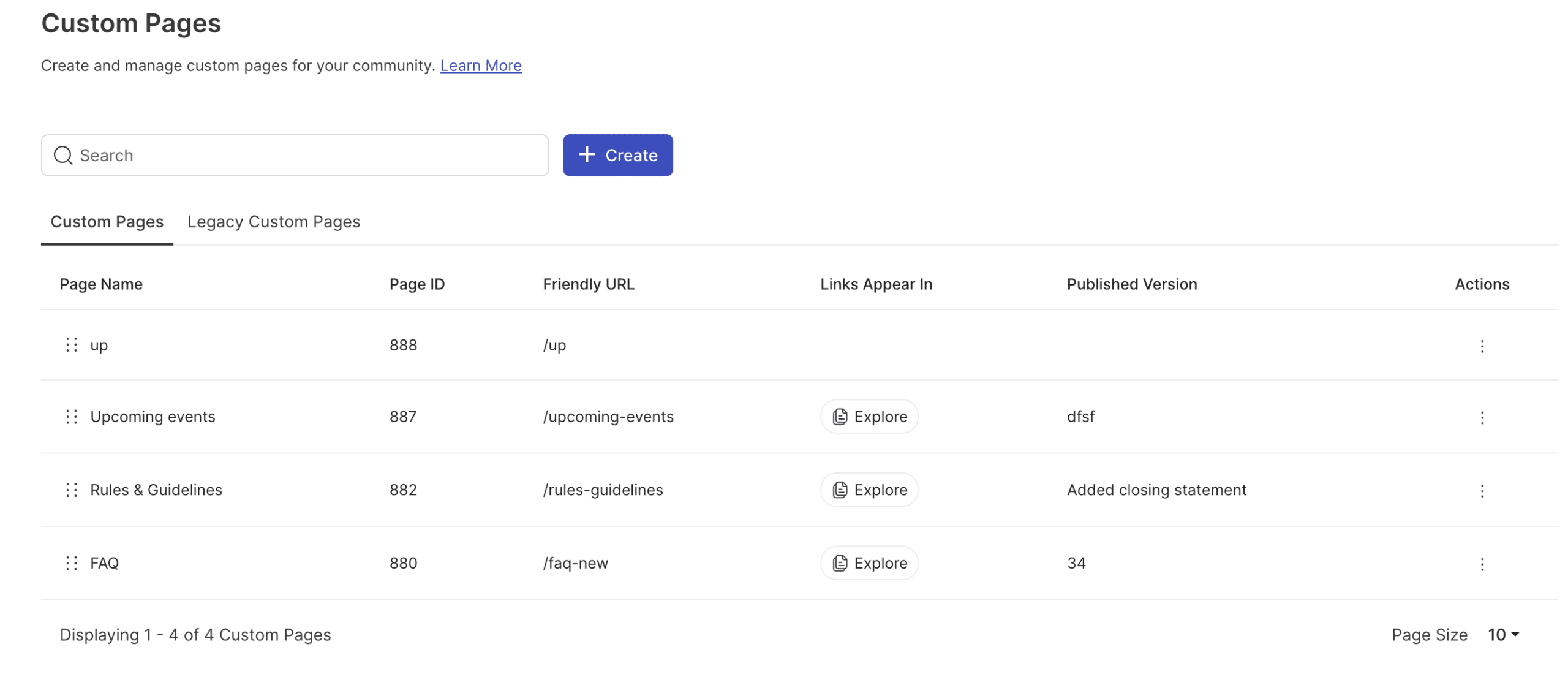
Why this is a bigger deal than it sounds: every innovation community accumulates context that lives outside the platform — evaluation rubrics in a shared drive, program guidelines in an email thread, onboarding instructions in a wiki nobody checks. Custom pages pull that context inside. Administrators can publish guidelines, program documentation, evaluation criteria, or anything else that helps participants contribute better, without filing a request with IT. One place, one platform, less confusion about where to look. For programs running across multiple campaigns or agencies, that consolidation matters more than any single feature on this list.
What This Means for Your Innovation Program
Here’s how these connect. An analyst builds a dashboard that surfaces a pattern across campaigns. She shares it — with the right permissions — to the program sponsor who can act on it. The community admin publishes evaluation criteria on a custom page so participants know what “good” looks like before they submit. And the workspace admin who configured all of this found the right setting on the first search, not the fourth click. Large-scale programs with stakeholders across departments or agencies will feel the difference immediately. Smaller programs will too — less friction is less friction regardless of headcount.
To learn more about how IdeaScale helps organizations turn ideas into measurable outcomes, explore our innovation management platform overview.
Most Recent Posts
Explore the latest innovation insights and trends with our recent blog posts.